Inviting collaborators
How to invite people into your workspace on the White-label plan, what a collaborator can and cannot do, and what happens to their access if the plan lapses.
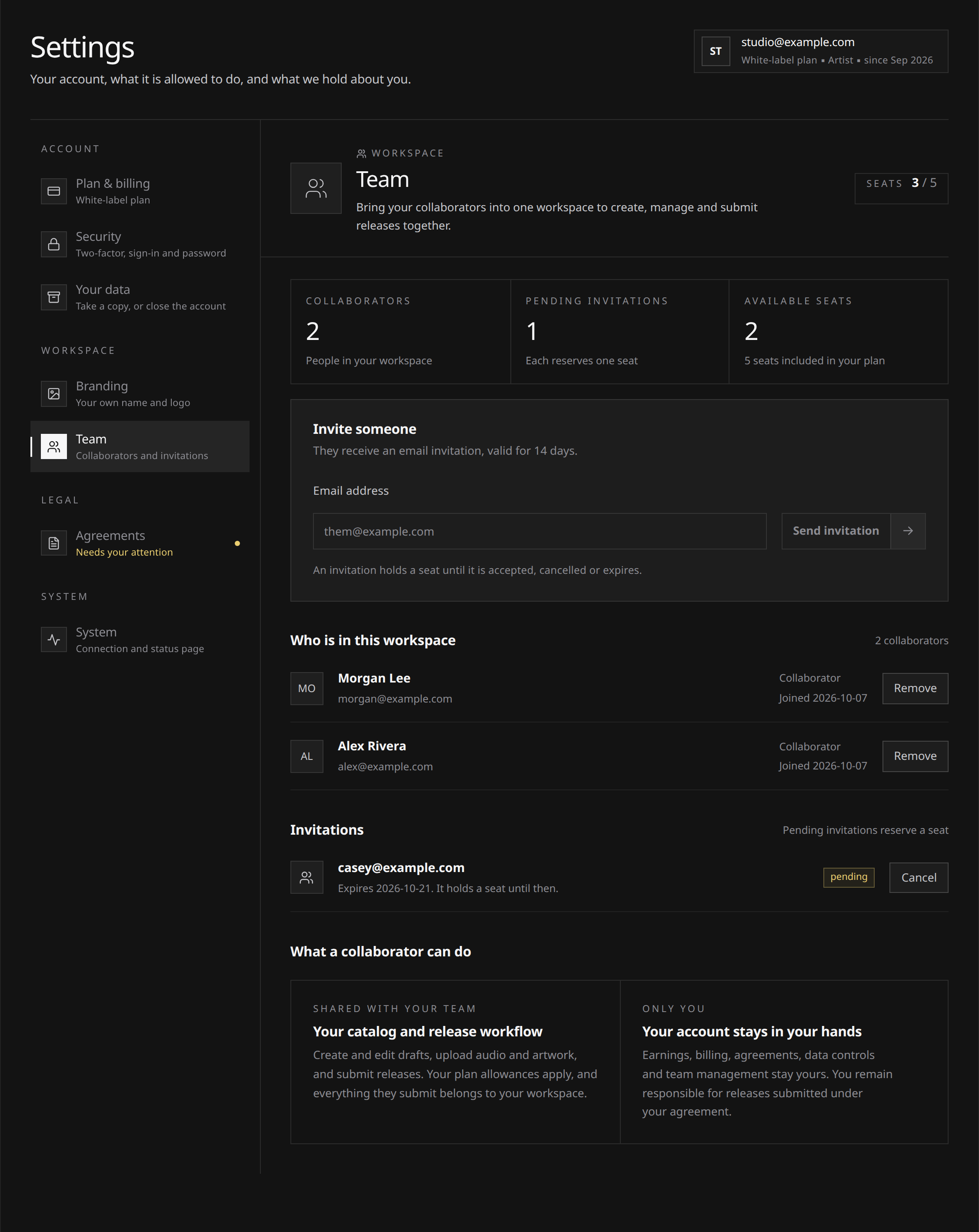
Invite collaborators from Settings → Team on White-label, which includes 5 seats. Each person uses their own Run sign-in to work on your catalog.
Before inviting someone, check the available seats and read the access boundaries below. Collaborators can submit releases for your workspace, but cannot see your earnings or manage your billing.
Inviting someone
- Open Settings → Team.
- Enter the person’s email address and send the invitation.
- They get an email with a link. Opening it, signing in or signing up, and accepting puts them in your workspace.
 View full-size
An invitation is valid for 14 days. After that it lapses and you send a new one.
Inviting your own address is refused, because you are already in your own workspace.
Working in a workspace
Use the workspace switcher in the header to choose which catalog to work on. Releases, artists and actions belong to that selected workspace; a collaborator’s own catalog remains separate. Earnings stay private to each workspace’s owner.
Collaborators see your branding while they are in your workspace, and the Run lockup in their own. See Workspace branding.
What a collaborator can do
They work the catalog. That means:
- Create and edit drafts, upload audio and artwork, fill in metadata, credits and splits.
- Add and edit artist profiles, and connect store pages.
- Create labels, where the plan has a slot free.
- Import releases from Spotify to pre-fill drafts.
- Submit a release, and reopen and fix one that came back.
- See how the catalog is performing (Overview and Analytics for this workspace).
- Open support requests about the workspace, and follow the threads.
Everything they do counts against your plan, not theirs. A collaborator on a free plan of their own is not limited to one release a month while working in your workspace: the allowances, the caps and the split are all yours.
Every action is written to the account’s history with the person who took it, so who did what stays answerable.
What a collaborator cannot do
Anything that belongs to the account rather than to the catalog stays with you:
- Earnings. Collaborators do not see what the catalog earns, in any view.
- Billing. The plan, the payment card, invoices, slots and cancellation are yours alone.
- The agreements. The Terms and the distribution agreement are accepted by the account owner, once, and a collaborator is never asked to accept them.
- Your data. Export and account deletion are yours alone. See Your data: export and deletion.
- The team. Only you invite, cancel an invitation or remove a member. A collaborator cannot invite anyone.
- Branding. Only you set the workspace name and logo.
What you are responsible for
Everything submitted from your workspace is submitted under your agreement, by you, whoever typed it. When a collaborator submits a release, the rights confirmation is made on the account’s behalf: you are the one stating that the recording and the song behind it are yours to release.
So treat a seat the way you would treat signing authority. Invite people you would let sign for the catalog, and take the seat back when that stops being true. See Rights and ownership for what that confirmation actually says.
If your plan changes
Memberships are kept, and access suspends. While the plan does not carry seats, a collaborator opening your workspace is told it no longer includes collaborators, and nothing they held is deleted. Resubscribing restores every seat as it was.
Removing a person, by contrast, is permanent: their membership is gone and getting them back means a fresh invitation.
Their own Run account is untouched either way. It is their account, not yours: it existed before the invitation or was created for it, it keeps their own catalog, and removing them from your workspace does not close it.