Workspace branding
How the White-label plan puts your business name and logo on the workspace, what the file has to be, and the places that stay Run-branded.
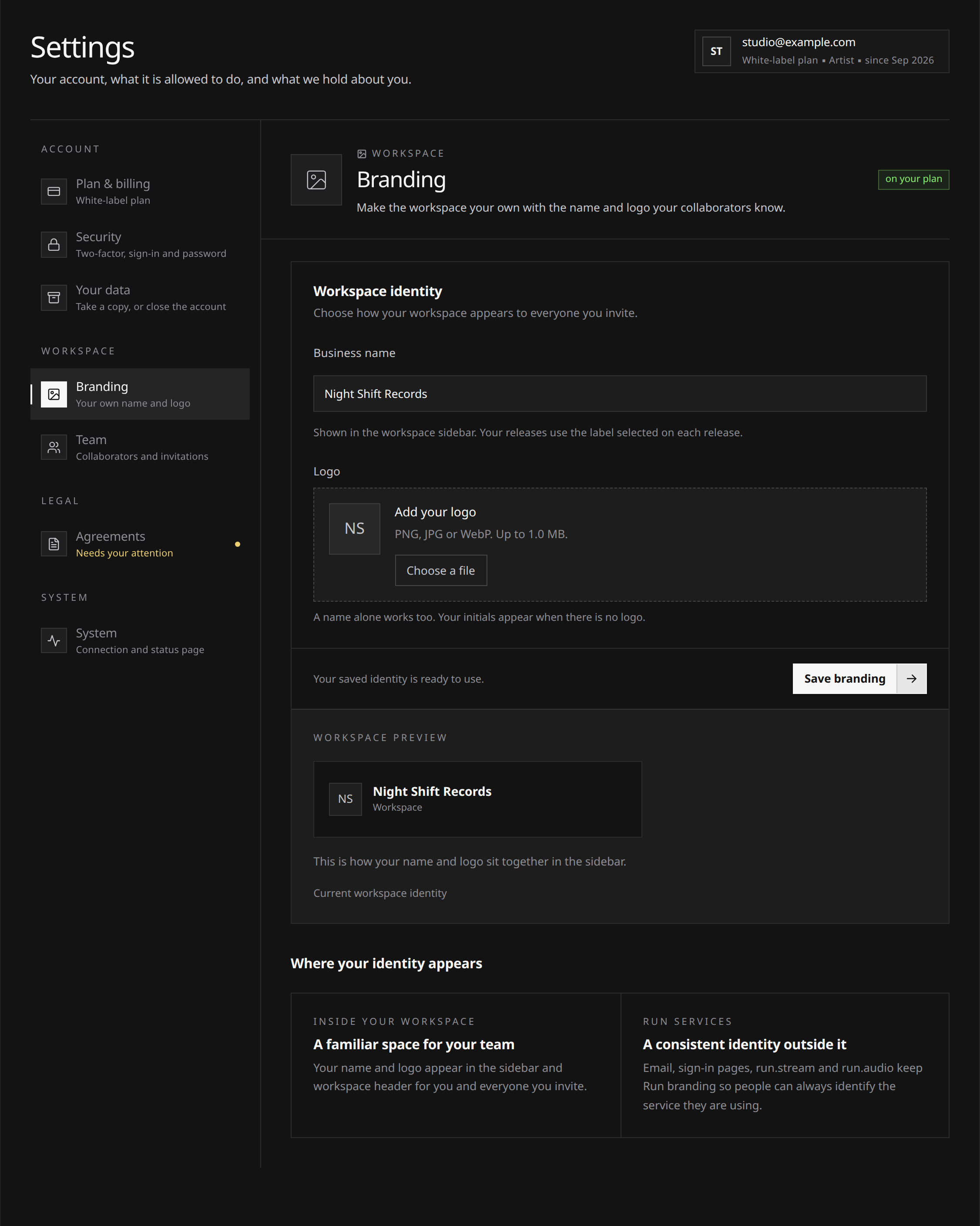
On White-label, set your business name and logo in Settings → Branding. They appear in the workspace for you and your collaborators. You can use a name without uploading a logo.
Have a PNG, JPEG or WebP logo of up to 1 MB ready if you want one. Branding changes the workspace identity; your distribution, earnings and agreements work the same way.
The plan also includes 5 collaborator seats, 1 custom Label and a dedicated manager on your support requests. The White-label plan explains those entitlements. The branding itself is limited to your workspace; the public surfaces listed below keep Run branding.
Setting it up
- Open Settings → Branding. Every plan can see the section, but its controls require the branding entitlement.
- Type your business name. Between 2 and 80 characters. “Run” and “Relay” are reserved and refused in any capitalization, the same rule labels follow, because a workspace calling itself Run would be pretending to be the platform to the people working in it.
- Upload a logo, or leave it and use the name on its own.
- Check the preview, then save. The preview shows your edits before saving; the workspace adopts them after you save.
 View full-size
You can change either at any time, and clearing the logo leaves the name.
The logo file
| What | Requirement |
|---|---|
| Format | PNG, JPEG or WebP |
| Not accepted | SVG, PDF, or anything that is not one of the three formats above |
| Size | Up to 1 MB |
| Shape | Anything, but a wide lockup or a square mark reads best in the sidebar |
The file is private. It is stored under your account, served to the workspace through a short-lived link, and never published at a public address.
What it does not cover
This is deliberately scoped to the workspace itself. These all stay Run-branded, and none of them is configurable:
- Emails. Everything Run sends, to you and to your collaborators, comes from Run and looks like it. Notifications, invitations, agreement notices and the rest.
- Sign-in. The sign-in, sign-up and password pages are Run’s, because they belong to the account rather than to a workspace, and a person can be in more than one.
- Your public release pages. The share pages at run.stream, the ones you send to your audience, are built from the release artwork and the store links. They are for listeners rather than for your team, and workspace branding does not reach them.
- The stores. What a store shows is the record label on the release, which is your label, not this. See Your own label for the difference.
- run.audio, this Help Center and the status page. Public Run surfaces, unchanged.
If what you want is your name in front of your audience rather than in front of your team, the label is the feature, not this one.
If your plan changes
The name and logo you saved are kept, and the workspace goes back to the Run lockup while the plan does not carry branding. Nothing is deleted and nothing has to be set up again: resubscribing renders it exactly as it was.
The same is true during a failed payment. Your plan stays in force while the card is retried, so branding keeps rendering throughout. See Managing your subscription and slots.