Run Copilot: asking Run questions, signed in or not
What the assistant in the workspace, on the Run website and in this Help Center can answer, what it cannot see or do, its allowances, and what happens to what you type into it.
Run Copilot answers general questions about Run using these Help Center articles and links its sources. It cannot see your account or act on your behalf. For a question about a particular release, use Support.
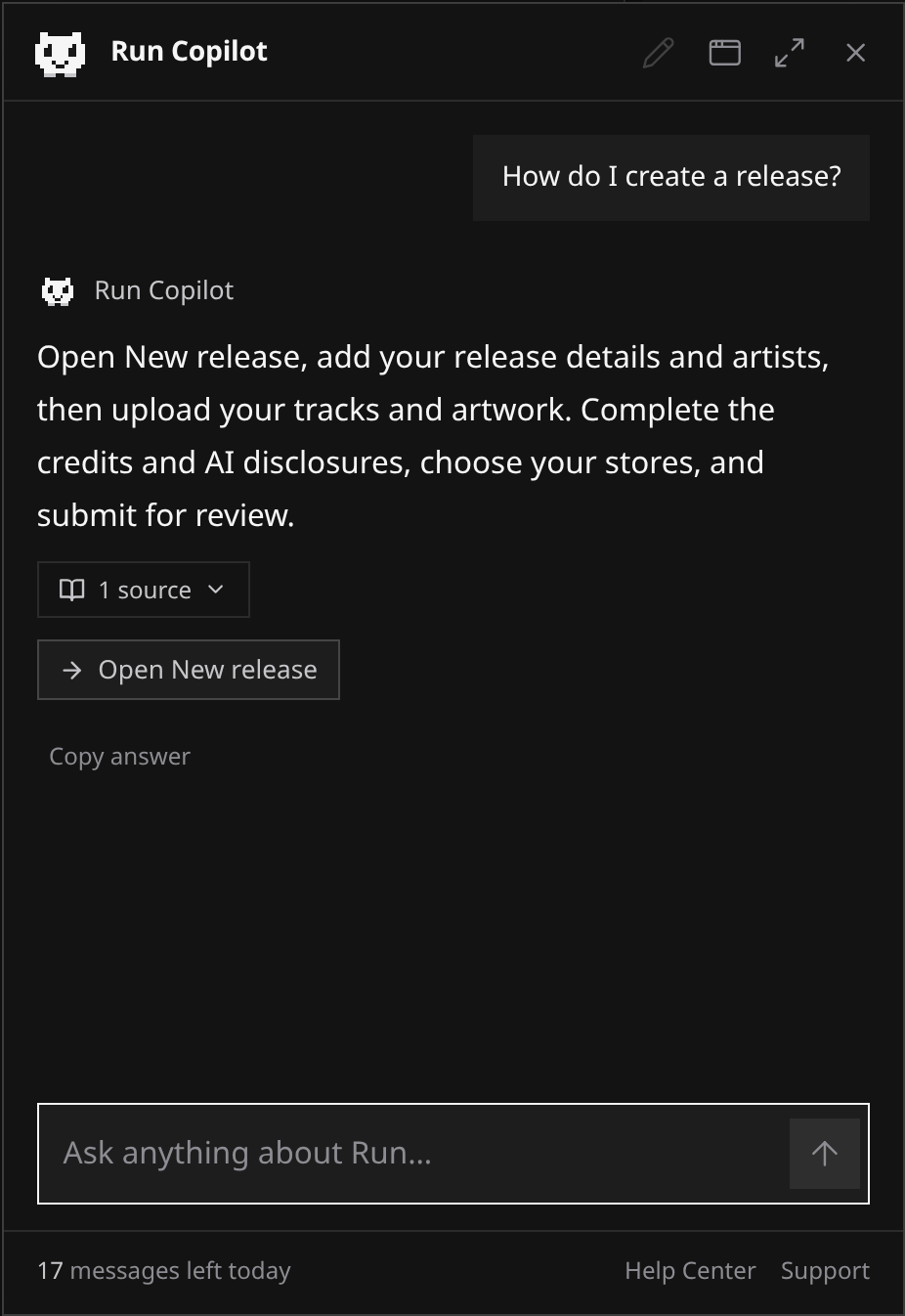
- Open the small white creature at the bottom right of the workspace, Run website or Help Center.
- Ask a question, such as which audio formats are accepted or what a review status means.
- Open the linked articles to check the answer.
 View full-size
The panel opens only when you choose it. Close it with its button or Escape. On narrow screens it fills the screen. Visitors on the website and Help Center need no account.
On the workspace’s Support page, Copilot appears below your requests. It shares the workspace panel’s conversation. New request opens a blank support form; it sends nothing for you.
What it knows, and what it does not
Copilot reads exactly what this Help Center publishes, nothing more. That is the whole of its knowledge, and it is what keeps it honest: a question these articles do not answer gets a plain “I do not know” rather than a guess, and a question about something Run does not offer yet (AI Mastering by master.audio, for one) gets the same Upcoming answer the articles give.
It has no access to your releases, artists, earnings, plan or support requests. It cannot answer an account-specific question such as “why was my release held”. Its Support link opens a blank request form so you can ask a person.
It also cannot create, edit, submit, deliver or delete anything. A suggested workspace page opens only when you choose the link.
Using it without an account
On the Run website and in this Help Center, Copilot answers anyone, and it treats everyone there as a visitor, signed in or not: it does not assume you have an account, and a workspace allowance is never used. Everything above holds: it answers from these articles, sees no account and does nothing on anyone’s behalf. A few things work differently from the workspace:
- A quick check before a new message. Before a new message leaves your browser, a check that you are a person and not an automated script runs. It usually passes without you noticing; if it needs you to do something, it appears inside the panel. It never runs when a page loads or when you only open the panel. If it cannot finish, nothing is sent and your message comes back to you to try again.
- A cookie that counts your messages. The first time you send a message, Run places a cookie named __Host-run_copilot in your browser. It holds a random identifier, signed so it cannot be forged, and nothing else: no name, no email address, no account. Page scripts cannot read it. It lasts 90 days and renews each time you use Copilot, and it is how your messages are counted. If your browser blocks it, Copilot says so and sends nothing. The Cookie Policy lists it with every other cookie Run sets.
- Its own allowance. Without an account you can send 5 messages a day and 50 a month from one browser, and no more than 3 a minute, counted in UTC. When an allowance is used up, the panel says when it opens again.
- Sources open in a new tab, and so do the Help Center and Support links at the foot of the panel, so the conversation stays where it is. Moving to another page of the website or the Help Center starts a fresh conversation, because the conversation belongs to the page you asked it on.
- Workspace buttons are marked “Sign in required”. When an answer offers a page in the workspace, or offers Support, the button opens the workspace in the same tab, which asks you to sign in first if you are not and then takes you there. For anything about a particular account, Copilot points you to a person: a support request once you are signed in, or support@run.audio.
Allowances in the workspace
Every plan comes with a number of messages per day and per month, shared by everyone working in the workspace: collaborators use the workspace owner’s allowance, not one of their own. Counting happens in UTC, so a new day starts at midnight UTC and a new month on the first.
| Plan | Messages per day | Messages per month |
|---|---|---|
| Free | 5 | 50 |
| Artist | 20 | 300 |
| White-label | 60 | 1000 |
On top of the workspace allowance, each person is limited to 6 messages a minute, one answer at a time, 60 a day and 1000 a month across every workspace they work in. A message counts the moment it is sent, whether or not the answer turns out useful, and starting a new conversation, changing plan or switching workspace gives none back. The foot of the panel shows what is left today, and when an allowance is used up it says when it opens again.
The Help Center and Support are always open and never use a message. A message takes up to 2000 characters.
Writing while it answers
You can keep typing while an answer is on its way: the box stays open for your next question, and Send waits until the answer has arrived. A message you have started but not sent stays in the box when you close the panel and open it again, and in the workspace it also stays while you move between pages.
If you scroll up to reread an earlier answer, a new one does not pull you back down: a Jump to latest button appears instead, and the panel follows new messages again once you are back at the bottom.
The window in the workspace
On a desktop screen, the workspace panel is a window you can arrange around your work. The website and the Help Center keep it fixed at the bottom right.
- Move it by dragging its header.
- Resize it from any of its four edges or four corners. It keeps a minimum size and stays inside the browser window, and it moves back inside if the browser window gets smaller.
- Maximize fills the browser window, and Restore puts it back where and how it was.
- The Window menu in the header does all of this without a mouse: Move with keyboard and Resize with keyboard (the arrow keys move or resize, Shift with an arrow takes bigger steps, Enter or Escape finishes), Make larger and Make smaller (one click, one step), Snap to each of the four corners, Maximize or Restore, and Reset position and size, which puts it back where it started at the bottom right.
The window remembers its place and size while you work, through closing and reopening it and moving between pages, until you reload the page, sign out or switch workspace. On a phone or a narrow window it takes the whole screen instead, and none of these controls apply.
What happens to what you type
The question you type, and the recent turns of the conversation, are sent to Anthropic, the company whose model writes the answer, together with the Help Center passages the question matched. Run sends nothing else: no catalog data, no account data, no page contents, only the name of the section you asked from (a page of the workspace, or a part of the website or the Help Center), so the answer can point you to the right place.
The conversation lives in your browser tab and nowhere else, and Run keeps no copy of it. Reloading the page or pressing New conversation clears it anywhere; in the workspace, so do signing out and switching workspace, and on the website and in the Help Center, so does moving to another page. What Run does keep is a usage record per message (when it was sent, from which section, whether it succeeded and what it cost) for 90 days.
In the workspace, those records belong to your account: they are part of your data export and go with your account when it is erased. Without an account, they are filed under the cookie’s random identifier, never under a name or an email address, and never with your IP address, so they cannot be looked up from who you are; they are deleted after the same 90 days, and clearing the cookie in your browser ends the link between you and them at once. The Privacy Policy lists the provider under “AI assistant provider” and describes the check before a visitor’s message.
Because the answer is written by a model, read it as help rather than as a ruling: the linked articles are the reference, and anything about your own account or a decision on a release comes from Support.
When it is not there
Copilot is not present on employee admin pages. A White-label workspace keeps the name Run Copilot, including when the workspace uses its own branding.