Your first release: a quickstart
Prepare your files and credits, create a draft, and submit your first release for checks and review.
Your first release starts as a draft and ends with a submission for checks and review. Prepare the items below, then follow the seven steps. Each step links to a detailed guide if you need it.
Open New release when you are ready. Use Save draft to save the release and any changed tracks before leaving unfinished work.
Have these ready first
- Your masters, lossless. WAV (16, 24 or 32-bit) or 16-bit FLAC, 44.1 kHz to 192 kHz, stereo, at least a second long, up to 2 GB per track. MP3, AAC and other lossy formats are refused outright. A lossy file re-saved as a WAV may be flagged; converting it does not restore the missing audio. See Audio requirements.
- Your cover, square. At least 3000 × 3000 pixels, no transparency. See Artwork requirements.
- The real names of everyone who worked on it. Each track needs song credits covering performance, songwriting and production. One person can cover all three; use legal names, not aliases. See Credits and splits.
- Publishing splits, if you are setting them. They are optional, but if you enter any they have to add up to exactly 100.
- Any licence or clearance. A cover needs its mechanical licence, a sample needs its clearance, a remix needs written permission from the rights holder. See Covers, remixes and samples.
- Your codes, if you have your own. Otherwise Run assigns the barcode and the ISRCs for you. See ISRC and UPC.
Mastering (Upcoming)
AI Mastering by master.audio is Upcoming and is not yet available in the workspace. The launch date is 9 November 2026.
AI Mastering (Upcoming) explains its availability. The tool is optional; you can submit your own finished master now if it meets the audio requirements.
The run
- Check your artist profile. Setup offers to create one; if you skipped that step, add the artist from Artists first. If the artist already has Spotify or Apple Music pages, connect them now rather than after delivery, so the release lands on the profile you already have. Connecting your store pages.
- Start the release. New release. If the music is already out through another distributor and you are moving it to Run, import it from Spotify instead and the details come in pre-filled for you to check. Import from Spotify.
- Fill in the release. Add its title, format, primary genre and cover. Choose a release date or ASAP, and answer the artwork AI disclosure. Open the advanced fields for your own barcode, an original release date or different ℗ and © lines. Create a release explains each field.
- Credit the artists. At least one main artist and at most 4: stores treat more than that as a compilation. Featured and remix credits go here too, in the order you want them displayed.
- Add the tracks. Upload each master, then give it a title, an explicit setting, a language, the song credits with their roles, any splits, and the two AI disclosures (one for the recording, one for the composition). AI disclosure explains what each level means; get it right, because under-disclosure is caught in review.
- Choose the stores. Every store is on by default and you can switch any of them off. Content ID stays off unless you opt in and confirm you own the recording outright. Stores and Content ID.
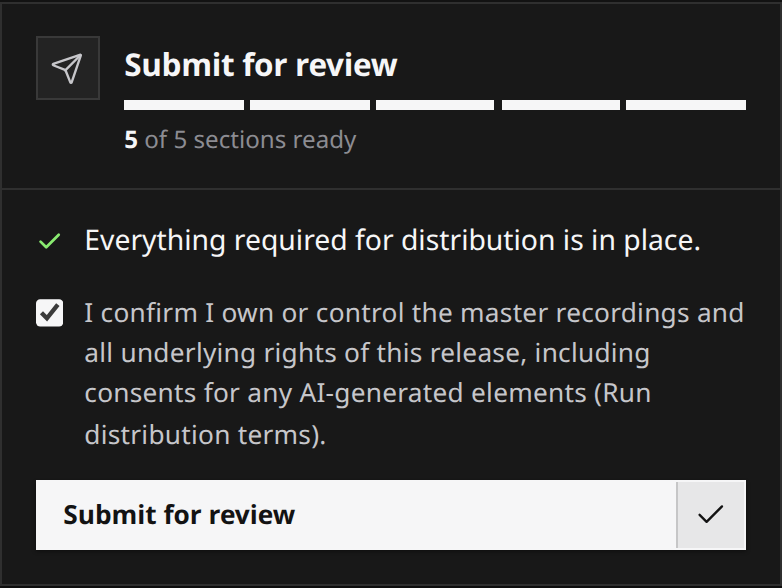
- Review and submit. The wizard shows anything still missing or wrong before it lets you through. You confirm you own or control the release, and it locks.
 View full-size
What happens after you submit
Automated checks examine the metadata, audio, cover and matches against released music. Hard failures return the release with reasons. A release that clears those checks goes to a person for review, including any flags. If it comes back, reopen it, fix the named items and submit again. What review checks and Editing and resubmitting explain the outcomes.
Once approved, the release is delivered to the stores in under 24 hours. A scheduled release can be delivered ahead of its release date. Each store confirms receipt separately; when it publishes the music follows its own process. Tracking delivery shows how to read those states.
A few first-time traps
- Leave room in the release date. If the release comes back for a fix, you need time to sort it out and submit again before the date you promised people.
- Bounce from the source, not from an MP3. A lossy file re-saved as a WAV is still lossy. Passing the audio checks does not make it a lossless master.
- Use the artist name the stores already know. A different spelling reads as a different artist and creates a second profile.
- Do not leave the credits until last. They are the step that needs other people’s real names, and a track credited entirely to AI contributors is refused.