Choosing stores and Content ID
Stores are all on by default and Content ID is not. What each category does, the ownership confirmation, and which tracks are never eligible.
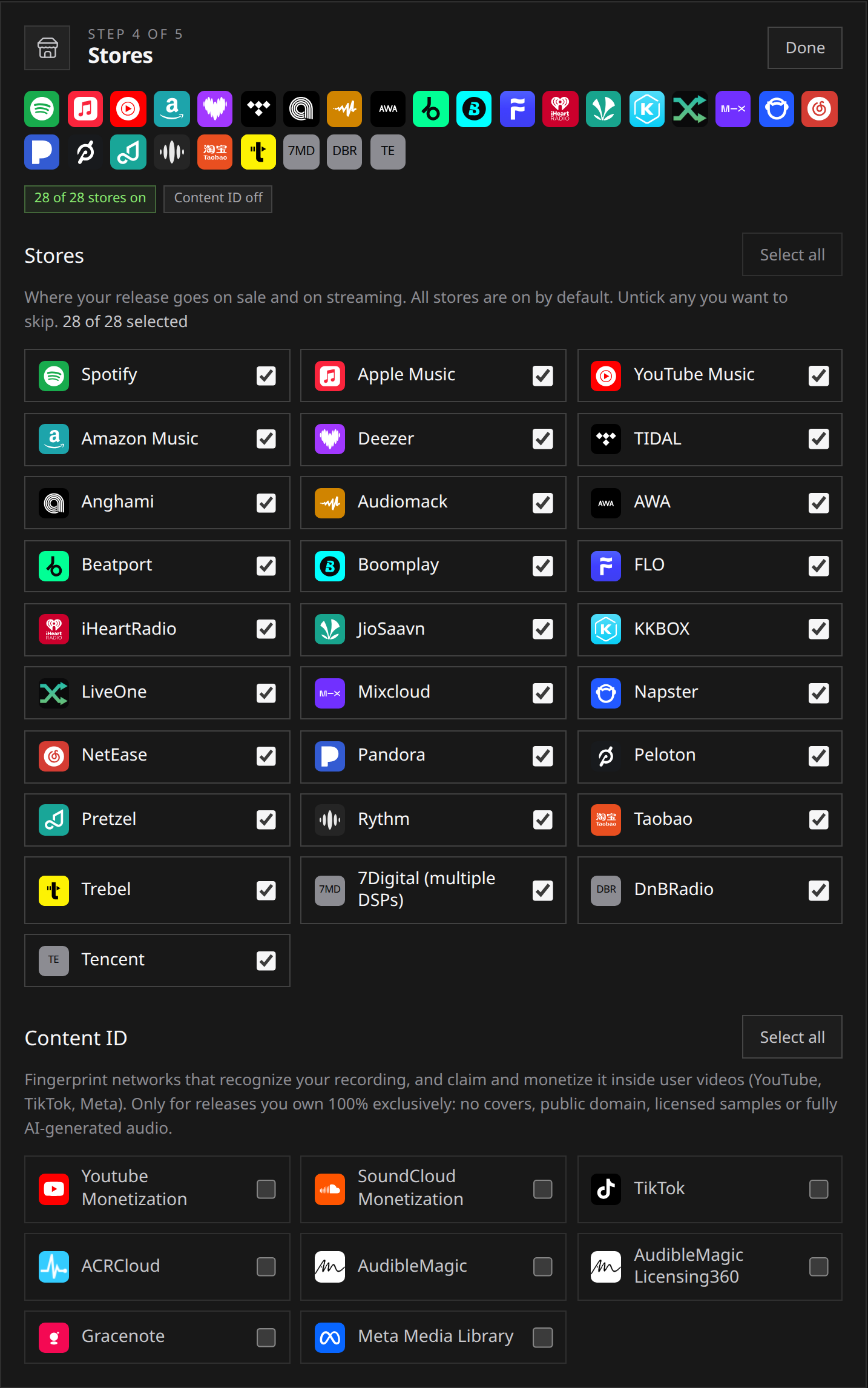
In Select stores, leave selected the platforms where you want people to listen. Every store starts on. Content ID starts off and has a separate ownership confirmation and eligibility check.
Run delivers worldwide. There is no territory picker: a store you leave selected gets the release everywhere it operates.
 View full-size
Stores
This is where people listen and buy: Spotify, Apple Music, YouTube Music, Amazon Music, Deezer, Tidal and the rest of the list shown in the section. The list is the same on every plan.
- Every store is selected when you start. Untick any you want to skip, and the count beside the list tracks how many are still on.
- “Select all” puts them all back.
- At least one store has to stay selected. A release with everything switched off does not submit.
- Skipping a store is the exception, not the norm. The usual reasons are an exclusivity deal elsewhere, or a platform you have a specific reason to stay off.
If the store list has not finished loading when you get there, the section says so. A release submitted in that state goes to all stores and keeps Content ID off, which is the default either way.
Content ID
Content ID is not a shop. It is a rights-management network: your recording is registered as a reference fingerprint, and when someone uploads a video containing it, the network matches the audio and the upload can be claimed and monetized on your behalf. YouTube’s Content ID is the one most people know. TikTok and the monetization programmes of Meta and SoundCloud match uploads the same way, and the music-recognition databases that identify a recording wherever it plays take the same reference fingerprint, so they sit in this category too. The section lists whichever of these networks we deliver to.
Before opting in, check the eligibility table below for every track. The choice applies to the whole release, so one ineligible track prevents the release from joining Content ID.
The confirmation
- Select the Content ID networks you want.
- Read any track-specific eligibility message and resolve it, or turn Content ID off.
- Read and tick the ownership confirmation. You confirm exclusive, worldwide ownership of original recordings: no covers, samples, public-domain material, non-exclusive licences or fully AI-generated audio.
Submission remains blocked while that confirmation is missing.
That is a statement you are making about your rights, and Run relies on it. A reference recording you do not own outright claims other people’s uploads, which is why the rules below are strict rather than advisory. See Rights and ownership.
Which tracks are never eligible
Eligibility is read from fields you already filled in on each track, so nothing extra is asked of you:
| Track | Read from | Why it is not eligible |
|---|---|---|
| A cover song | Composition | You do not exclusively own the underlying song |
| A public-domain work | Composition | The work belongs to everyone, so no recording of it can claim it |
| Anything with licensed commercial samples | Commercial samples | Sampled, library and licensed beat material is not yours to register |
| A recording disclosed as Fully AI | Recording disclosure | Fully AI-generated audio is not valid reference material |
Licensed samples are ineligible whether the licence is exclusive or non-exclusive. See covers, remixes and samples and AI disclosure for the fields themselves.
Content ID is a release-level choice, so one ineligible track blocks the opt-in for the whole release. The form names the track and the reason as soon as you tick a Content ID network, so you can either turn Content ID off or take that track out and release it separately.
What happens if you opt in wrongly
Inside Run, nothing ships: the submission is refused and the check names the offending track. The gate is there because the consequence outside Run falls on other people.
A reference recording you do not own exclusively claims uploads that were entirely legitimate: another producer who licensed the same beat, another artist’s recording of the same public-domain piece, or the artist whose song you covered. Their video is claimed, their revenue is diverted, and they have to dispute it. These networks treat invalid reference material as misuse of the system, which is why the eligibility rules are strict rather than advisory.
If you own your recordings outright, opt in. If any part of a track came from somewhere else, leave it off. There is no middle setting.
Changing the selection later
- While it is a draft: change it freely, as often as you like.
- After you submit: the selection locks with the rest of the release. If the release comes back to you, reopening it opens the section again. See editing, reopening and resubmitting.
- After delivery: adding or removing a store is not a self-serve edit. Open a support request and we handle it case by case, because the change has to travel back out to the stores.
Removing the release from every store is a different action. See taking a release down.