Artwork requirements
The cover art specs Run enforces at submit, the store content rules a reviewer applies, and what to do when your artwork is too small.
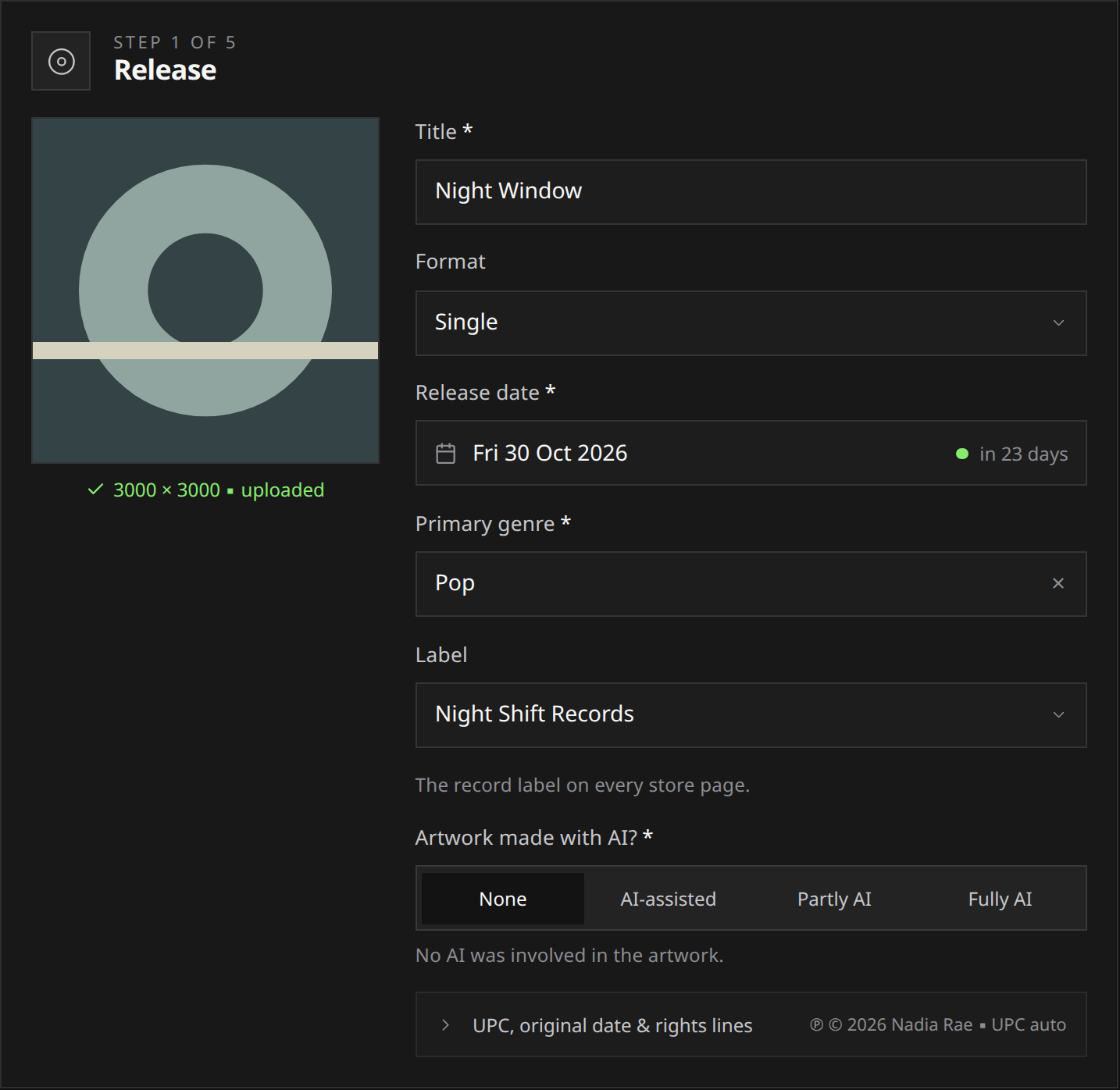
Upload one square JPG, PNG or TIFF cover, at least 3000 × 3000 pixels, with no transparency. The file can be up to 100 MB. The same cover represents every track on the release.
Check both the file specifications and its content. A cover can meet the pixel requirements and still be returned by a reviewer for misleading text, branding or a rights problem.
The specs
| Requirement | What Run accepts |
|---|---|
| Shape | Square, exactly 1:1 |
| Size | 3000 by 3000 pixels or larger |
| Transparency | None. A file with an alpha channel is refused |
| File type | JPG, PNG or TIFF |
| File size | Up to 100 MB |
Square, size and transparency are the three hard failures. The upload box helps you catch them early: drop a file in and it reads the real pixel dimensions straight back at you, so a cover that is 1400 by 1400, or 3000 by 2400, says so on the spot rather than after you submit.
Export a flat image. If your artwork was built with transparency, place it on a background and flatten it, or export as JPG, which has no alpha channel at all.
If your artwork is too small
- Open the original artwork in the tool you used to make it.
- Export a square image at 3000 × 3000 pixels or larger, with the background flattened.
- Replace the cover in your draft and check the dimensions shown by the upload box.
Upscaling is not a fix. Blowing a 1000 pixel cover up to 3000 clears the pixel check and still looks like a 1000 pixel cover, on a page where your artwork is the first thing anyone sees. If the original is genuinely gone, remake the cover rather than stretching it.
If the release has already been submitted, reopen it, replace the file and submit again: see editing and resubmitting. A cover cannot be changed once the release has been delivered.
What the artwork must not contain
These are the stores’ content rules, and they are the reason a technically valid cover can still be sent back.
- No web addresses. No domain names, no links, no QR codes.
- No social handles. No “@yourname”, no “follow me on”, no platform icons.
- No store logos or store names. No Spotify, Apple Music, TikTok or YouTube marks, and no “available on” or “streaming everywhere” text.
- No pricing or promotional text. No “out now”, no “free download”, no release dates stamped on the image, no discount or advertising copy.
- Nothing that misrepresents the release. The artist name and title on the cover have to match the metadata you entered. Placeholder art, a screenshot, a profile picture or a mock-up sleeve borrowed from somewhere else all get sent back.
Two more rules that come from the rights you confirm at submit rather than from a store: you need the rights to every image, photograph, logo and typeface in the cover, and the cover cannot use another artist’s identity, likeness or brand to imply an association that does not exist. See rights and ownership.
Artwork made with AI
AI artwork is welcome, and it is one of the three disclosures the wizard asks for: none, AI-assisted, partly AI or fully AI. Answer honestly for the artwork you are actually shipping. The disclosure travels with the release to the stores that ask for it, and changing it after delivery is not a quiet edit. See AI disclosure.
The same rights rule applies to a generated cover as to a photographed one: an AI image that reproduces a recognisable artwork, a real person’s likeness or a protected character is not usable here.
Where the cover goes
Open Release in the release form, enter a title to unlock the cover box, then upload the image. Answer Artwork made with AI? beside it. A release cannot be submitted without a cover.
 View full-size
Artist profile pictures are separate and are not uploaded to Run at all: they come from the artist’s connected Spotify profile. See your artist picture and listener count.