The Run label, and running your own
Every release ships under the Run label by default. What a label is at the stores, how to create one of your own, and how renaming works.
A label is the record label name the stores show on your release. Run is the default. If your paid plan has a label slot, create your own from Labels and choose it on a draft.
The label also identifies the claimant on any Content ID networks you opt into. It does not change ownership or your royalty split: your rights lines credit the owners, and your split follows your plan.
What the label decides, and what it does not
It decides two things:
- The record label shown on the release page at every store.
- The claimant on any Content ID network the release is opted into. See Choosing stores and Content ID.
It does not decide who owns the recordings, who is credited as the artist, or what you earn. Ownership is the ℗ and © lines, covered in The sound recording and copyright lines, and what you earn is your royalty split, which follows your plan.
The house label
Every account starts on the house label and can stay there forever. It costs nothing, it is the same name for everyone releasing through Run, and it is not editable: “Run” and “Relay” (the platform’s former name) are both reserved and cannot be claimed as anyone’s label name.
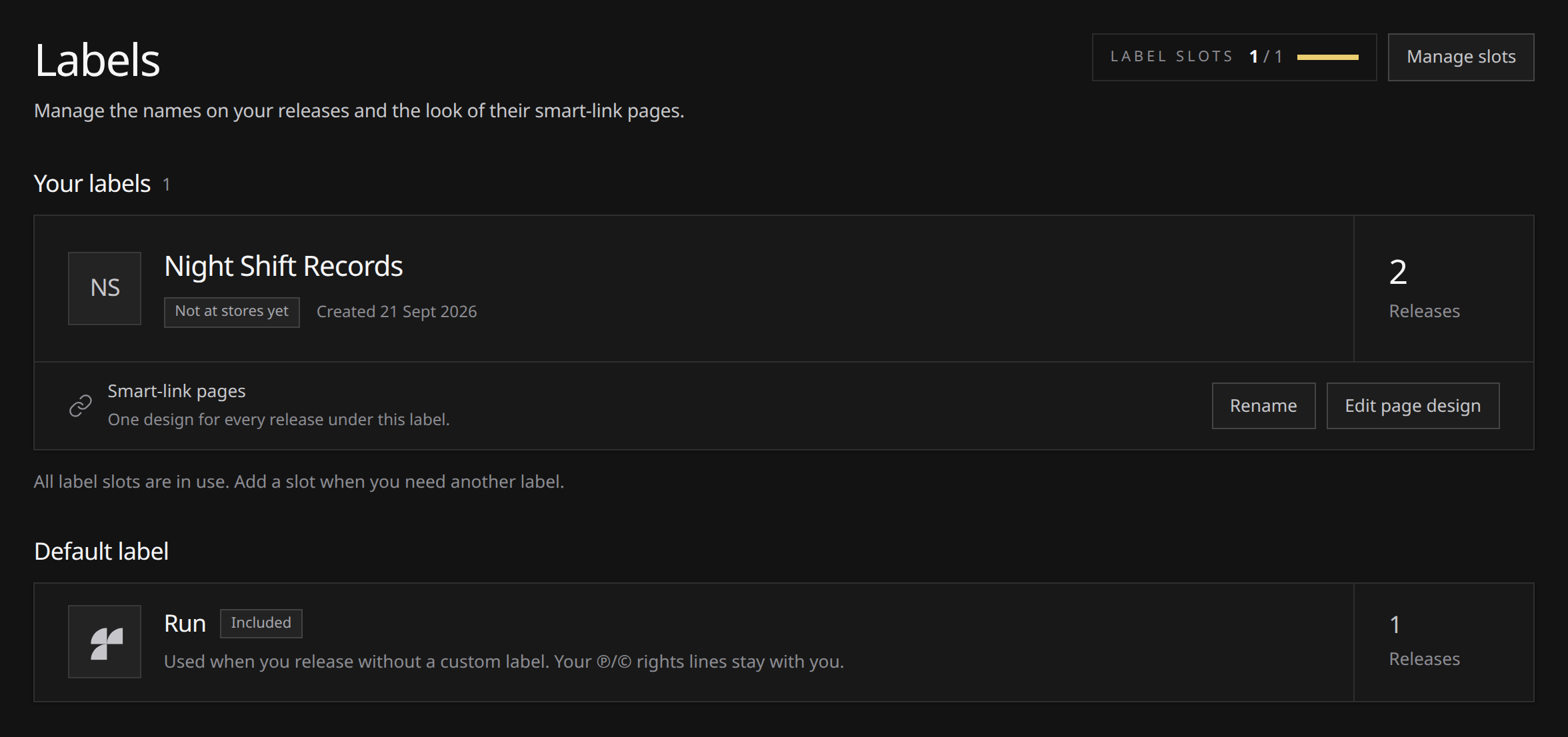
Labels shows Run under Default label, below your custom labels, with its release count. It is the fallback for releases with no custom label selected.
Getting a label of your own
| Plan | Included | Extra labels |
|---|---|---|
| Free | no custom label | Not available |
| Artist | no custom label | EUR 19.99 a month each |
| White-label | 1 custom Label | EUR 19.99 a month each |
White-label includes 1 custom Label at EUR 49.99 a month. On any paid plan you can add more as slots, at EUR 19.99 a month or EUR 199.00 a year each, bought one at a time in Settings. A slot rides your subscription, so it is not available while you are on Free. See Plans and what they include and Subscription and slots.
The labels page head shows how many slots you hold and how many are in use, so you can see whether you have room before you start.
Creating one
- Open Labels and choose Create your label, or New label if you already have one.
- Type the name. The composer shows how it reads in the record label row of a store page as you type, which is the only place the name matters.
- Choose Create label.
 View full-size
Name rules:
- Between 2 and 80 characters.
- Unique across all of Run. If another account already holds the name, you are told and asked for a different one, because a label name identifies one catalog across the whole platform.
- “Run” and “Relay” are reserved, in any capitalization.
If your plan came with a label when you signed up, the onboarding wizard offers you this same step, so it may already be done.
When it reaches the stores
Creating a label makes the name yours on Run. It does not register anything with a store yet. That happens the first time a release branded with it is delivered, which is why the card reads Not at stores yet until then and At stores afterward.
The first delivery also changes how renaming works: before it, you can rename the label yourself; afterward, request the change through Support.
Putting a release out under it
A release carries one record label, and which one is settled while the release is still a draft. Once you submit, it is fixed, and our distribution pipeline applies it when the release is delivered.
In the release’s Label field, choose a label you hold. No label uses Run as the store-facing label. If you have no custom labels, the field shows that fallback. Check the store preview to see the name the release will carry.
A custom label also has an Edit page design action for its run.stream pages:
- Open the editor on the label card and choose a starting design or adjust its controls.
- Inspect the Sample release in Phone or Desktop view. Switch between Stream and Pre-save, or use Compare with stock to compare your draft with Run’s default.
- Choose Save design to apply the design to releases under that label. Discard changes restores the saved design; Reset to stock stages the stock design until you save it.
The preview is a sample, not one of your releases. This page design is separate from workspace branding, which controls the name and logo your team sees inside Run.
Renaming
While a label has never delivered anything, renaming is self-serve: Rename on its card, type the new name, save. Nothing external has seen the old name, so there is nothing to correct.
Once it has delivered, the name is on catalog that is already at the stores, and changing it there is not something you can do from the workspace. The card offers Request a rename instead, which opens a request with the label attached and the label rename category already chosen. See Getting help.
There is no way to delete a label. While it has not delivered anything you can rename it to anything you like, which covers most of the reasons you would want to remove one.
If you downgrade or cancel
Labels you have already created keep branding their catalog. Releases that went out under one stay exactly as they are at the stores, and future releases can keep using it.
What locks is creating new ones: that needs a live paid plan with a free slot. Nothing is deleted while you are away, so resubscribing gives the slot back rather than starting you over.