Your roster and artist slots
What an artist profile is, how many each plan includes, how to add more with slots, and the rules on renaming and removing an artist.
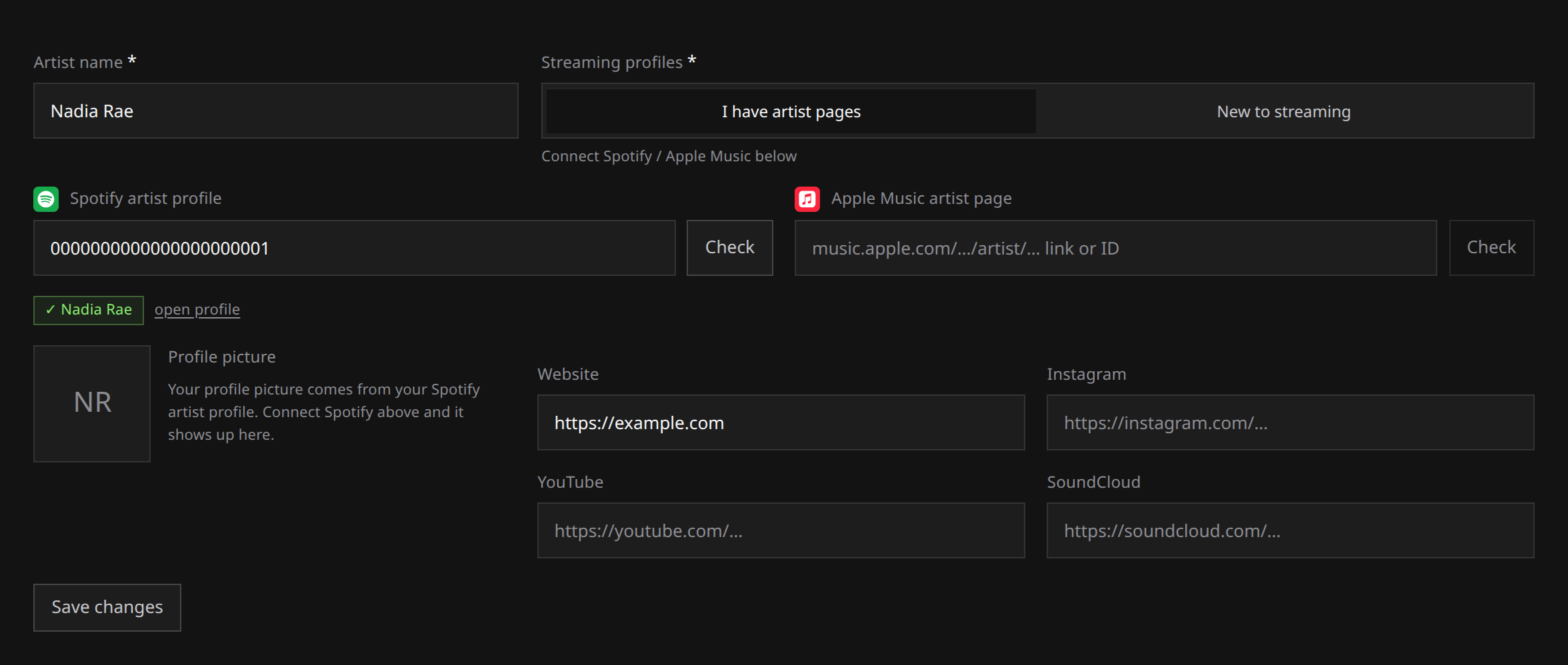
Manage your artist profiles from Artists. Each profile holds the name the stores credit, connected store pages and optional links. You can reuse it across releases.
Your plan counts profiles held, including artists with no releases. The roster shows each artist’s store pages, release count and Spotify monthly listeners, with artists needing attention first.
What a profile holds
| Field | What it is |
|---|---|
| Name | The store-facing credit, 2 to 64 characters. Write it exactly as it should read on a store page. |
| Streaming profiles | Whether this artist already has store pages, and the Spotify and Apple Music links if so. |
| Website, Instagram, YouTube, SoundCloud | Optional links that travel with the artist. |
| Picture and monthly listeners | Read from the connected Spotify profile. Not something you upload or type. |
Names have to be unique inside your account: two profiles cannot carry the same name. Your store pages covers the streaming half, and Your artist picture and monthly listeners covers the picture.
How many you get
| Plan | Artist profiles included |
|---|---|
| Free | 1 artist profile |
| Artist | 5 artist profiles |
| White-label | 50 artist profiles |
The count is profiles held, not releases made. A profile you created and never released under still occupies its place.
When you are at the limit, creating another artist is refused with a message naming your plan and its allowance. Nothing you already have is touched.
Adding slots
Both paid plans can buy extra artist profiles one at a time, for EUR 1.99 a month or EUR 19.90 a year each, up to 45 of them. If you are heading well past what Artist includes, compare it against White-label, which starts at 50 artist profiles: see The White-label plan.
- Buy and adjust them in Settings, under Plan and billing. The slider shows the price change and the new total before you confirm.
- Slots ride your existing subscription, so they bill on the same interval as your plan.
- Adding one is charged straight away, pro rata. Reducing leaves a credit on your account that comes off future invoices rather than a refund to your card.
- Slots need a live paid subscription to ride on, so they are not sold on Free.
Your subscription and slots has the billing mechanics.
If you downgrade
Nothing on your roster is deleted, ever, by a plan change.
- Artists over the new limit stay exactly where they are, with their store pages and their releases.
- What stops is creating new ones. That stays blocked until you are back under the limit.
- Add-on slots go inert while the plan is free and count again if you resubscribe.
Renaming an artist
The artist name is the identity that reaches the stores, and it is what our review checks against the store pages you connected. So it is not editable at all times.
You can rename an artist while every release crediting them is still a draft, or has been rejected, or has been taken down. Once a release crediting them has been submitted, and while it is in review, approved, delivering or live, the name is locked. A rename after review would put an identity on the stores that nobody checked.
If an editable release is holding the name, return it to draft where that action is available. A live release cannot be reopened this way; open a support request if it prevents the change. See Editing and resubmitting.
A rename applies to your workspace and to everything delivered from that point on.
Removing an artist
Removing an artist deletes the profile in Run. It never deletes releases, and it never takes anything off the stores.
That is why the option only appears on an artist with no releases. While an artist is credited anywhere, the removal is refused: take the credits off those releases first, and note that a submitted or live release is not editable, so in practice a released artist stays on your roster.
If what you actually want is music off the stores, that is a takedown, not a removal. See Taking a release down.
Adding an artist
- Open Artists and choose New artist.
- Enter the artist name exactly as it should appear on the stores.
- Choose New to streaming or I have artist pages. In the second mode, connect the existing pages and check the returned profile.
- Save. The artist is now available to credit on your releases.
 View full-size
A connected Spotify profile also lets you import the artist’s existing releases as drafts.